Your EV can tell you how far it went, but your charger should tell you what that trip cost. That’s where smart EV chargers earn their wall space, showing charging energy, scheduling sessions, and sometimes coordinating with the rest of your home.
The awkward part is that “energy monitoring” doesn’t mean the same thing on every model. One charger may show the electricity used by your car. Another can watch your entire electrical panel and slow charging before the oven, heat pump, and EV start fighting over the same circuit. Here are the models worth considering, plus what those numbers actually mean.
Key Takeaways
- Emporia Level 2 is the strongest value for built-in charging data, Wi-Fi control, and optional whole-home monitoring through the Vue system.
- ChargePoint Home Flex has one of the most established apps, with adjustable output and clear session tracking.
- Wallbox Pulsar Plus is a good compact choice, especially when paired with Power Boost load management.
- Tesla Universal Wall Connector fits Tesla and mixed-connector households, while Grizzl-E Smart favors durability over fancy analytics.
- A charger’s energy screen isn’t automatically a whole-home energy monitor. Check exactly what the device measures before buying.
What Energy Monitoring Means on a Home EV Charger
A smart charger can measure the electricity that flows into your vehicle. That data usually appears as kilowatt-hours, charging time, estimated cost, or session history in an app.
That sounds simple. Then the product pages arrive with six different phrases for roughly three features, and suddenly you’re studying electrical equipment like it’s a witness statement.
There are three types of monitoring to separate:
- Session monitoring tracks your EV charging. You can see how many kilowatt-hours were delivered during a session and sometimes estimate the cost using your utility rate.
- Circuit monitoring watches the charger’s electrical circuit. This helps with load management and can reduce charging output when the circuit approaches its limit.
- Whole-home monitoring measures your house, usually through sensors installed inside the electrical panel. It can show the home’s total consumption and, in some systems, solar production and individual circuits.
The first type is common. The third is where the useful magic happens, although “magic” here means current transformers clipped around wires in your breaker panel. Less wizard robe, more electrician.
The New York Times Wirecutter home charger review distinguishes Emporia’s charger data from its Vue whole-home and circuit-level monitoring. That distinction matters if you want to know whether charging happened during solar production or whether your house was already pulling heavily from the grid.
Energy monitoring is useful for more than curiosity. It can help you:
- Compare charging costs across time-of-use rate periods.
- Confirm that a scheduled session started and stopped correctly.
- Estimate the monthly cost of driving.
- Identify an unusually long or inefficient charging session.
- Coordinate EV charging with solar generation.
- Reduce the chance of overloading a home electrical service.
A charger that reports 42.7 kWh to your car still may not know what your dryer is doing. That’s fine if all you want is an EV charging history. It’s not fine if you expect the charger to manage your entire home automatically.
The Best Smart EV Chargers Worth Buying in 2026
The right model depends on what you want to see, not only how many amps it can deliver. A 48-amp charger with a useless app is still a 48-amp charger with a useless app. Congratulations, you bought a very confident brick.
Prices below reflect ranges reported in 2026 buying guides and reviews. Retail pricing, rebates, cable versions, and hardwired or plug-in configurations can change the total.
Emporia Level 2: Best Value for Energy Monitoring
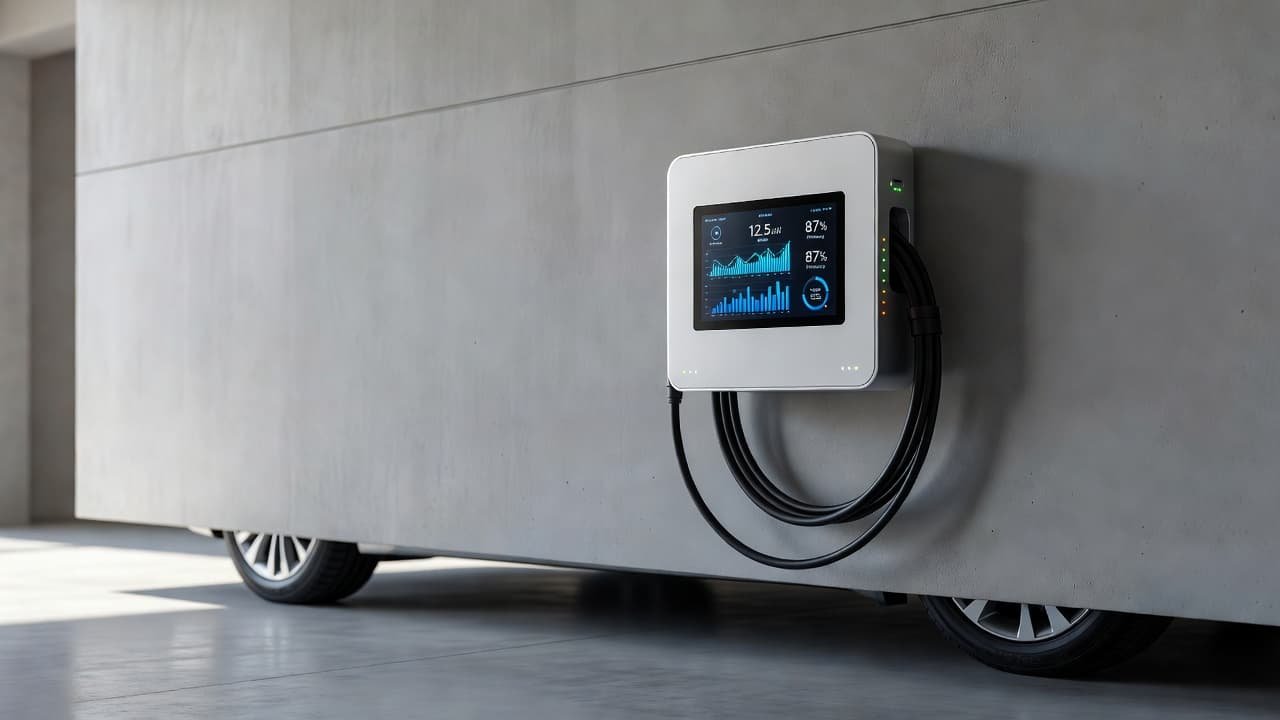
Emporia’s Level 2 charger is the easiest recommendation for buyers who want useful energy data without paying premium-brand money. It delivers up to 48 amps on a suitable circuit, includes Wi-Fi, and commonly comes with a 25-foot cable.
The charger tracks charging energy and session history in the Emporia app. Add Emporia’s Vue monitor, and the system can show broader household usage, selected circuits, and solar production. That turns the charger from a car-only meter into part of a home energy system.
The hardware pricing reported in 2026 lists varies widely, roughly from $250 to $449 for the Level 2 model. Emporia Pro listings sit closer to $599. Check the current configuration carefully because the charger, Vue monitor, and installation are not always bundled together.
Emporia also supports load management through its PowerSmart system. The EnergySage Level 2 charger guide highlights that feature for homes where the panel has limited spare capacity.
Best for: buyers who want charging data, solar awareness, and strong value.
Watch out for: whole-home monitoring requires extra hardware, setup, and panel access.
ChargePoint Home Flex: Best App and Ecosystem
ChargePoint Home Flex is the established, familiar option. It can deliver up to 50 amps when installed on a circuit that supports it, and the app lets you select the charger’s output during setup.
Its energy tracking covers charging sessions, schedules, charging status, and estimated usage. Utility integrations may also help some drivers schedule charging around cheaper electricity rates, although availability depends on your location and utility.
Home Flex pricing appears across 2026 sources from about $494 to nearly $600. That makes it more expensive than some Emporia configurations, but you’re paying for a mature network and a well-known software ecosystem. The Car and Driver tested home charger guide includes Emporia Pro and other major home charging options for comparison.
ChargePoint is a comfortable pick for households that don’t want to spend Saturday troubleshooting a pairing problem. The app experience is generally the main attraction, not advanced whole-home monitoring.
Best for: drivers who value a polished app and a recognizable charging brand.
Watch out for: its built-in data is mainly charger and vehicle usage, not automatic whole-panel monitoring.
Wallbox Pulsar Plus: Best Compact Smart Charger
Wallbox Pulsar Plus is small enough for garages where every inch of wall space already belongs to something. A ladder, a bike rack, three extension cords nobody admits owning. The charger is compact, but it can still provide up to 40 or 48 amps, depending on the version.
Wi-Fi and Bluetooth support allow app control, scheduling, and session tracking. Wallbox’s Power Boost system can monitor household demand and adjust charging power when the home load rises. That feature generally requires a compatible energy meter, so don’t assume the basic charger includes a complete load-management system.
Pricing varies sharply by version and retailer. 2026 listings range from about $463 to $749. Confirm the amperage, plug type, cable length, and energy-meter requirements before comparing prices.
Pulsar Plus makes sense for a buyer who wants a clean installation and load balancing without mounting a large commercial-looking unit on the garage wall.
Best for: compact installations and homes that need dynamic load management.
Watch out for: Power Boost may add hardware and installation cost.
EVIQO 48A: Best Feature-Packed Value Alternative
EVIQO’s 48A charger, also sold under the Evipower Gen2 name in some listings, is a strong challenger in the value category. It includes Wi-Fi scheduling, energy monitoring, ENERGY STAR certification in listed configurations, and a 25-foot charging cable.
A long cable matters more than people think. The charger may be mounted in the logical electrical location, while your vehicle parks in the location chosen by a garage door, a storage shelf, and one tire that always seems to be six inches too far away.
Reported 2026 prices range from roughly $419 to $479 in some listings, with other sources showing higher pricing. The EVIQO provides useful charger-level data, but buyers should verify whether its current app version offers the exact cost tracking or export features they want.
Best for: drivers who want 48-amp charging, a long cable, and Wi-Fi features at a competitive price.
Watch out for: app support and long-term software quality deserve more scrutiny than they do with older brands.
Tesla Universal Wall Connector: Best for Mixed Tesla and J1772 Homes
The Tesla Universal Wall Connector is a practical choice for households with a Tesla and another EV using the J1772 connector. Its built-in adapter means you don’t have to keep a separate adapter dangling from the wall like a small plastic tail.
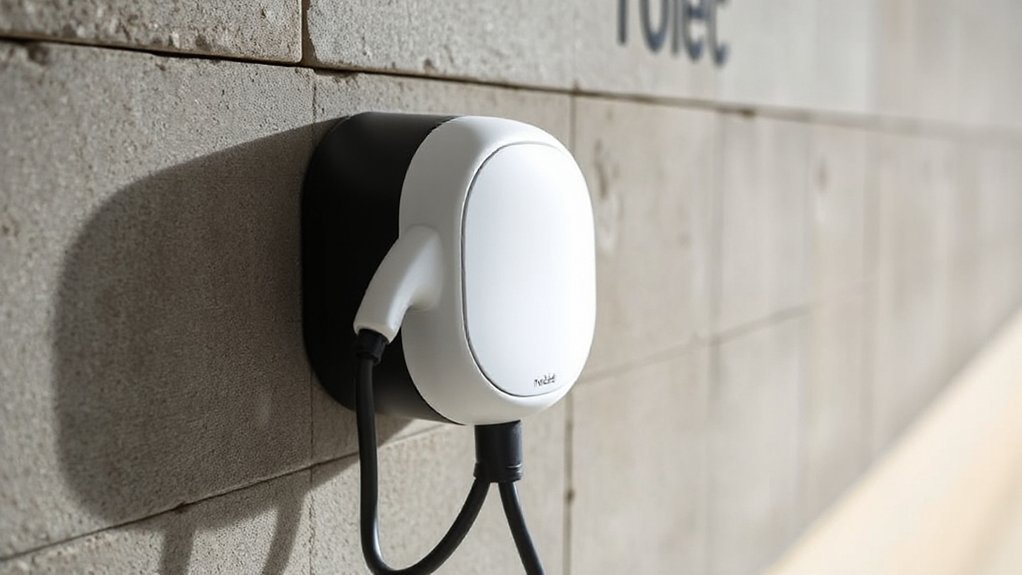



It supports up to 48 amps when hardwired correctly and offers Wi-Fi connectivity, scheduling, remote monitoring, and security settings. Tesla owners get the smoothest experience inside Tesla’s software ecosystem, though the connector works with compatible non-Tesla vehicles too.
The unit is hardwired, so installation can cost more than plugging in a charger with a NEMA 14-50 connection. Prices reported in 2026 sources generally sit around $550 to $650.
Its monitoring is useful for charger sessions and remote control. It isn’t the first choice for detailed whole-home energy analytics. If your main goal is solar production tracking or panel-level data, Emporia has the stronger story.
Best for: Tesla owners, mixed EV households, and buyers who want one connector setup.
Watch out for: hardwired installation and less extensive whole-home monitoring.
Grizzl-E Smart: Best for a Tougher Installation Environment
Grizzl-E Smart is the less glamorous pick, which may be exactly why you like it. It focuses on a durable enclosure, 40-amp charging, Wi-Fi scheduling, and usage history rather than filling the app with charts that look like a Wall Street terminal.
It’s often considered for garages, carports, and colder climates where physical durability matters. Pricing reported in 2026 comparisons ranges from about $399 to $459.
The energy features are adequate for tracking charging activity, but they aren’t as strong as Emporia’s whole-home approach. Grizzl-E Smart is better understood as a rugged smart charger than as a complete home energy-management platform.
Best for: buyers who prioritize a sturdy unit and straightforward charging controls.
Watch out for: less detailed energy analysis than Emporia or a charger paired with a panel monitor.
Smart EV Chargers Compared
Here’s the short version before we get lost in amperage menus and cable measurements.
| Charger | Max output | Energy monitoring | Main strength | Reported 2026 price |
|---|---|---|---|---|
| Emporia Level 2 | 48A | Charger data, optional whole-home with Vue | Value and solar tracking | About $250-$449 |
| ChargePoint Home Flex | 50A | Charger session data | App and ecosystem | About $494-$600 |
| Wallbox Pulsar Plus | 40A or 48A | Charger data, Power Boost with meter | Compact design and load balancing | About $463-$749 |
| EVIQO 48A | 48A | Charger data and scheduling | Features for the price | About $419-$479 in some listings |
| Tesla Universal Wall Connector | 48A | Session monitoring and remote control | Tesla and J1772 compatibility | About $550-$650 |
| Grizzl-E Smart | 40A | Usage history and scheduling | Durability | About $399-$459 |
Emporia is the clear pick when monitoring is the main reason you’re shopping. ChargePoint is easier to recommend when app quality and brand familiarity matter more. Wallbox earns its higher price when space and load management are the problem.
How to Choose the Right Charger for Your Home
Start with your electrical service
Before comparing apps, check the circuit. A 48-amp charger typically needs a 60-amp circuit because EV charging is a continuous load. A 40-amp charger commonly uses a 50-amp circuit.
That’s a planning guideline, not permission to open the panel and improvise. Your electrician must account for the service rating, panel capacity, wiring method, breaker type, conduit, voltage drop, local code, and the actual charger installation instructions.
A 32-amp charger may be the smarter choice if your home has limited capacity. Most drivers don’t need maximum output every night. If your car adds 30 miles of range while you sleep, another 8 amps won’t improve your morning nearly as much as a safe, reliable installation.
Decide whether you need whole-home data
Ask one blunt question: do you want to track the car, or the house?
For car-only tracking, Emporia Level 2, ChargePoint Home Flex, EVIQO, Tesla, and Grizzl-E Smart can cover the basics. You’ll see charging sessions and energy delivered.
For whole-home tracking, look at Emporia with Vue or Wallbox with the required Power Boost meter. These systems can help you understand whether EV charging overlaps with high household demand.
Whole-home monitoring is especially useful if you have solar panels, a battery, electric heating, or time-of-use electricity rates. Otherwise, it can become an expensive dashboard showing that the car charged last night. You already knew that. The car was plugged in.
Match the connector to your vehicle
North American Charging Standard, or NACS, is now common across newer EVs, while many vehicles still use J1772 for AC charging. Tesla’s Universal Wall Connector combines NACS hardware with an integrated J1772 adapter.
A J1772 charger can still work with a NACS vehicle when you use a compatible adapter approved for AC charging. Check the vehicle manufacturer’s guidance before buying an adapter, particularly if you plan to leave it outdoors.
Your car also sets the practical limit. A charger rated at 50 amps doesn’t force the vehicle to accept 50 amps. The onboard AC charger may be limited to 32 or 40 amps, and the vehicle may reduce power because of battery temperature or charging conditions.
Look beyond the headline amperage
A 25-foot cable can solve a parking problem that a higher amperage rating cannot. Outdoor certification, cable flexibility in cold weather, a secure holster, Wi-Fi range, and local app support matter too.
Check whether the charger supports:
- Scheduled charging by time or utility rate.
- Adjustable amperage.
- Remote start and stop.
- Energy history and cost estimates.
- Firmware updates.
- Solar or home-energy integration.
- Load management with an added meter.
- A physical button or reliable controls when Wi-Fi fails.
Cloud features are useful until your router has a small emotional crisis. The charger should still charge safely when the internet is down, even if remote monitoring and scheduling are unavailable.
Installation, Utility Rates, and Actual Savings
Smart charging can reduce your electricity cost, but the charger doesn’t create savings by itself. You need a lower rate period, a solar surplus, or a utility program that rewards flexible charging.
Suppose your utility charges less overnight. A schedule can delay charging until that window. If your solar system produces more electricity at midday and your vehicle is home, solar-aware charging may use more of that generation before buying power from the grid.
The savings depend on your rate plan and driving needs. A driver who uses 250 kWh per month for charging will see a larger dollar difference between peak and off-peak rates than a driver who uses 80 kWh.
Installation may include the charger, circuit, conduit, labor, permit, and panel upgrades. A short run from a nearby panel can be simple. A detached garage, trench, exterior conduit, or service upgrade can change the bill quickly.
Ask the installer for a written quote that names the circuit size, charger setting, cable route, permit cost, and any load-management equipment. A cheap charger with a costly panel upgrade is not a cheap charging system.
Which Smart EV Charger Should You Buy?
Choose Emporia Level 2 if energy monitoring is your priority and you want the option to add whole-home data later. It offers the most convincing balance of price, charging output, app control, and energy visibility.
Choose ChargePoint Home Flex if you want a mature app and broad brand recognition. It’s a sensible everyday charger, especially when you value simple scheduling over detailed household analytics.
Choose Wallbox Pulsar Plus if the charger must fit a tight wall or help manage a busy electrical service. Confirm the Power Boost meter requirements before ordering.
Choose EVIQO 48A if you want a long cable and a feature-heavy charger at a lower reported price. Verify current software support and warranty terms.
Choose Tesla Universal Wall Connector for a Tesla and J1772 mixed household. Choose Grizzl-E Smart when physical toughness matters more than elaborate charts.
The Solar Minnesota charger comparison also places Emporia in the value and energy-monitoring conversation, which matches the broader 2026 buying-guide pattern. Just treat listed prices as snapshots, not permanent promises.
Conclusion
The best smart EV chargers don’t only move electricity into your car. They show when you charged, how much energy you used, and whether your home can handle the load without turning dinner into an electrical engineering project.
For most buyers, Emporia Level 2 is the strongest monitoring-first choice. ChargePoint brings the smoother mainstream experience, Wallbox offers compact load management, Tesla fits mixed connector households, and Grizzl-E Smart keeps things sturdy and simple.
Before you buy, match the charger to your panel, vehicle connector, utility rate, and actual monitoring needs. The most useful number isn’t the biggest amp rating on the box. It’s the one that tells you where your electricity went.
This post may contain affiliate links. If you make a purchase through these links, I may earn a small commission at no extra cost to you.